
Unidentified contacts report
The Unidentified contacts report lists all wallet addresses you’ve transacted with that are not yet linked to a known contact in Cryptio. Naming these counterparties is an important step before booking transactions into your accounting software, as it ensures clean records and reduces reconciliation issues.
How to Generate the Unidentified contacts report
In Cryptio, go to Business > Unidentified Counterparties.
Click Generate Unidentified Counterparties Report.
Once created, the report will appear in your Reports page.
From there, click the download icon to export the report as a CSV file.

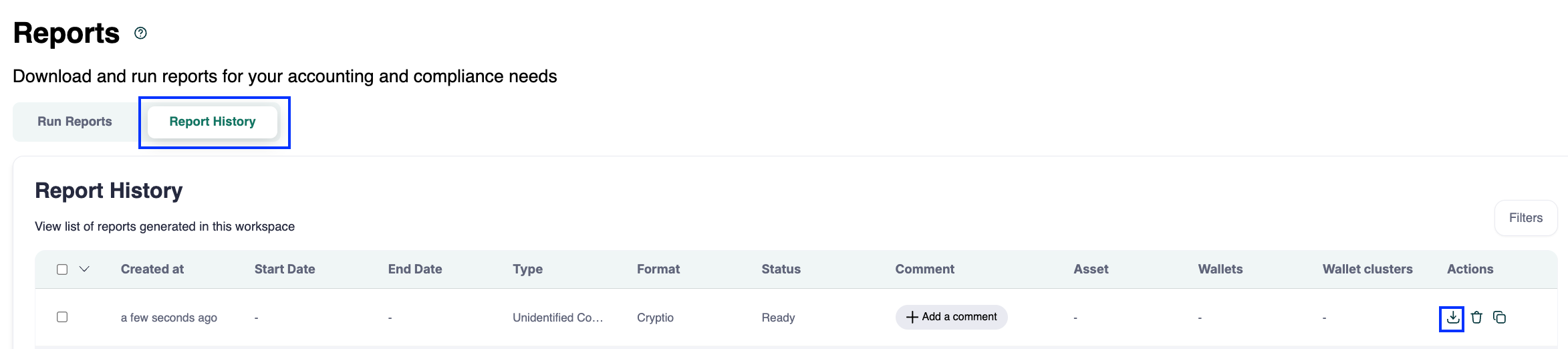
You can also create this report directly on the Reports page.
How to Use the Report
The exported CSV lists all unidentified counterparties. You can then:
Assign names one by one directly in the Unidentified Counterparties page OR
Bulk update in CSV by adding names to counterparties in the exported report.
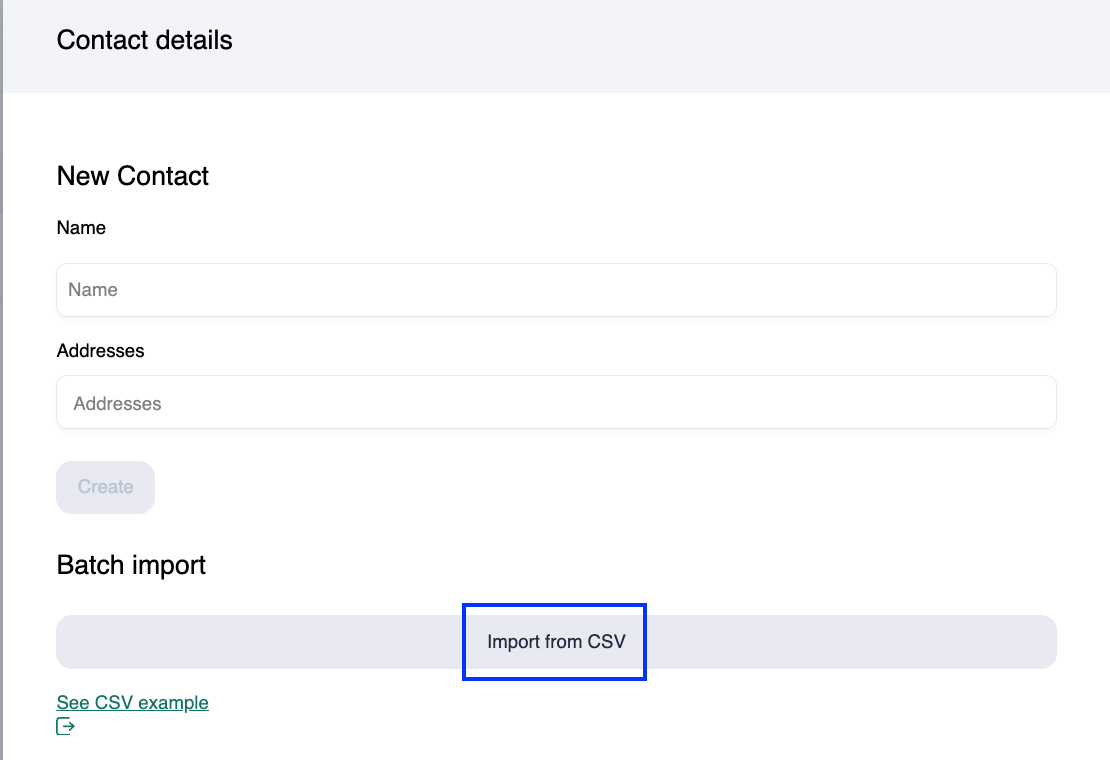
Re-upload the updated CSV to Cryptio through the Contacts page to automatically map the counterparties.
Next Steps
Use this report to:
Ensure all wallet addresses are properly named before pushing transactions to your accounting software.
Streamline reconciliations by keeping counterparties consistent across reports.
Maintain clean, audit-ready records.