Export your contact list
Exporting your contacts into a CSV file can be helpful for record-keeping, compliance, and team collaboration. It allows you to keep a secure backup of your contacts outside Cryptio, share contact details with colleagues for auditing or reconciliation, and easily transfer the list into other systems such as accounting or compliance tools. The exported report will include both the name and the address of each contact in your Cryptio account.
How to Generate the Contacts List
Follow these steps to generate and download the report:
Go to the Reports page.
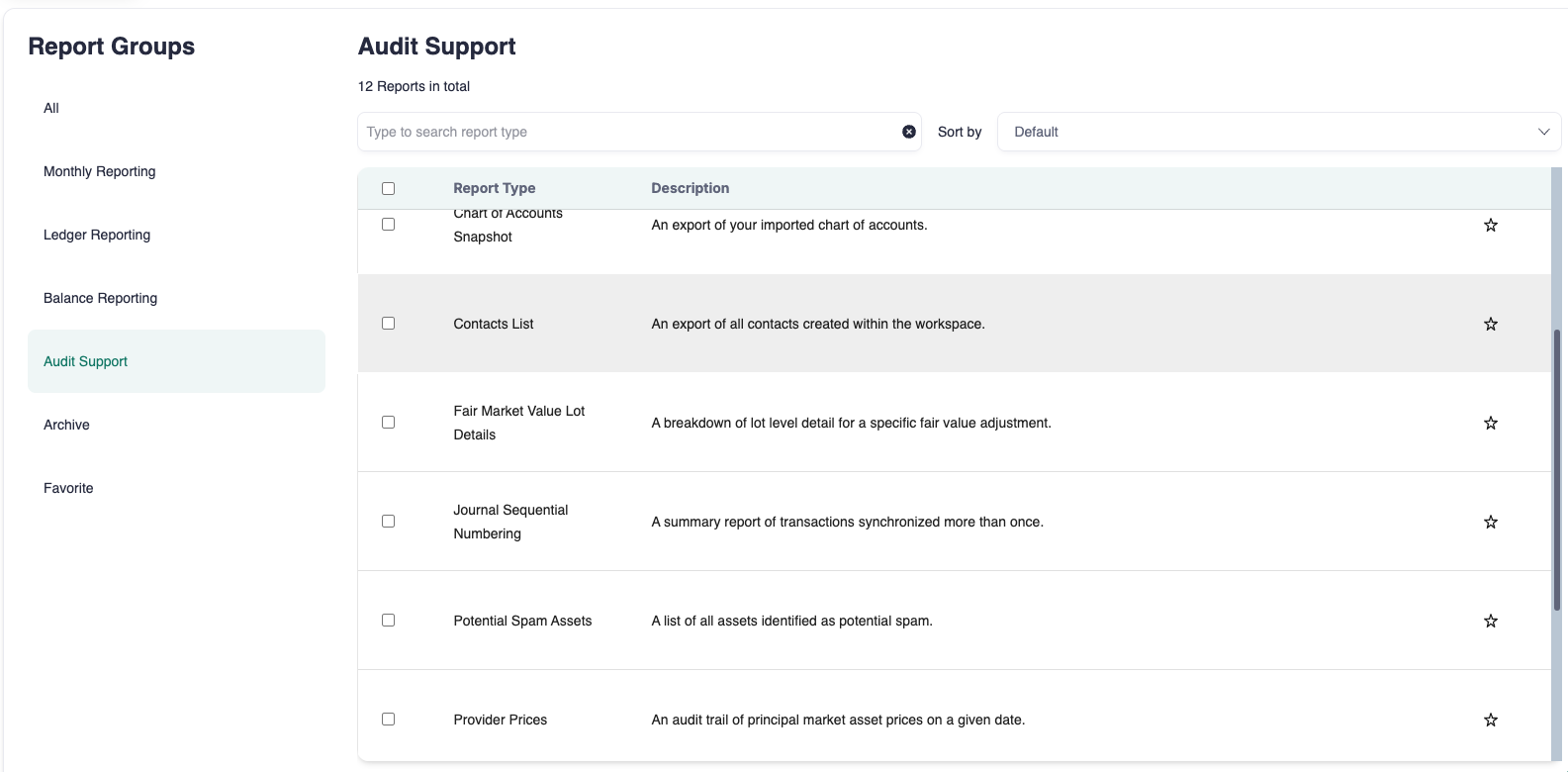
Type Contacts List in the search bar or find it under the Audit Support section.
Select Create.
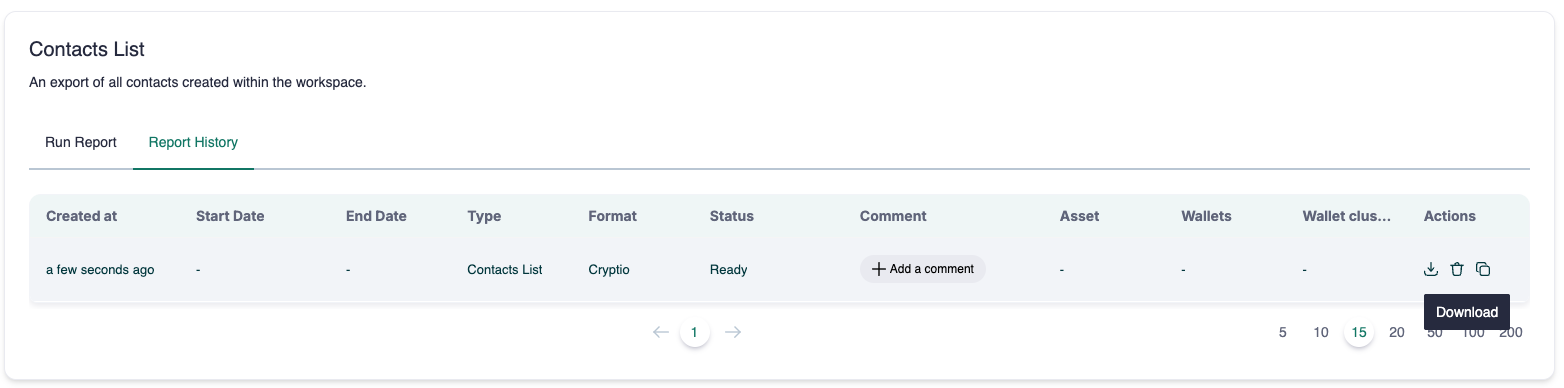
After the report has been generated, download it by clicking the download icon (see screenshot).
Your report will be saved as a CSV file with contact names and addresses displayed side by side.