
Manual prices tracker report
The Manual Prices Tracker report gives you a clear record of all transactions where a custom price has been applied. This provides an essential audit trail and makes it easy to identify manual interventions in your pricing data.
What is the Manual Prices Tracker report?
Cryptio lets you manually insert prices for transactions when needed, for instance if your specific use case requires tracking transactions outside of fair market value (for example, OTC trades).
The Manual Prices Tracker report helps you:
Keep track of all transactions with custom prices.
Provide auditors with a clear audit trail of adjustments.
Reduce friction during reviews by centralizing all manual interventions in one report.
How to Generate the Manual Prices Tracker Report
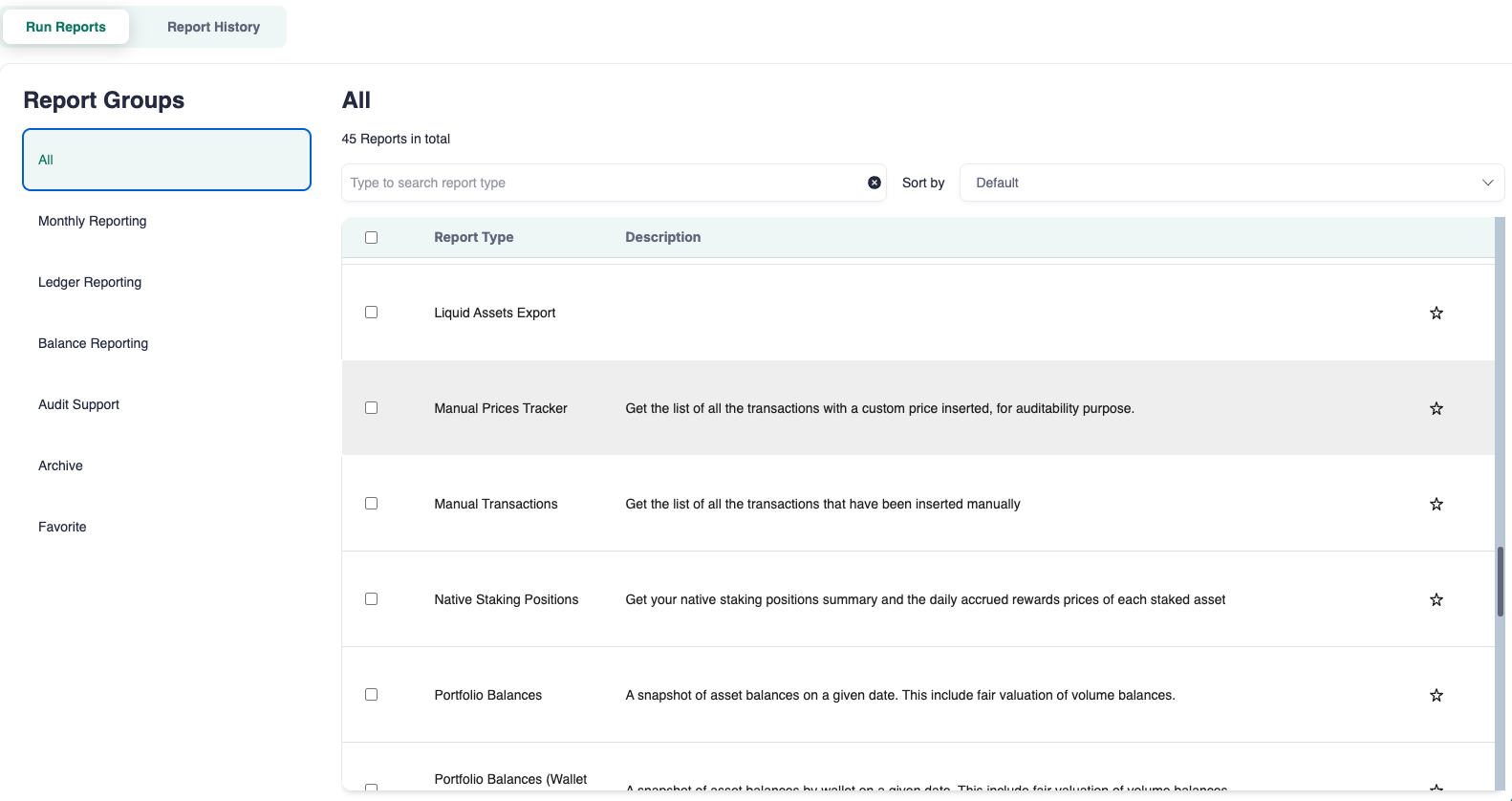
Navigate to Reports from the left-side navigation bar.
Type Manual Prices in the search bar or find it under All.
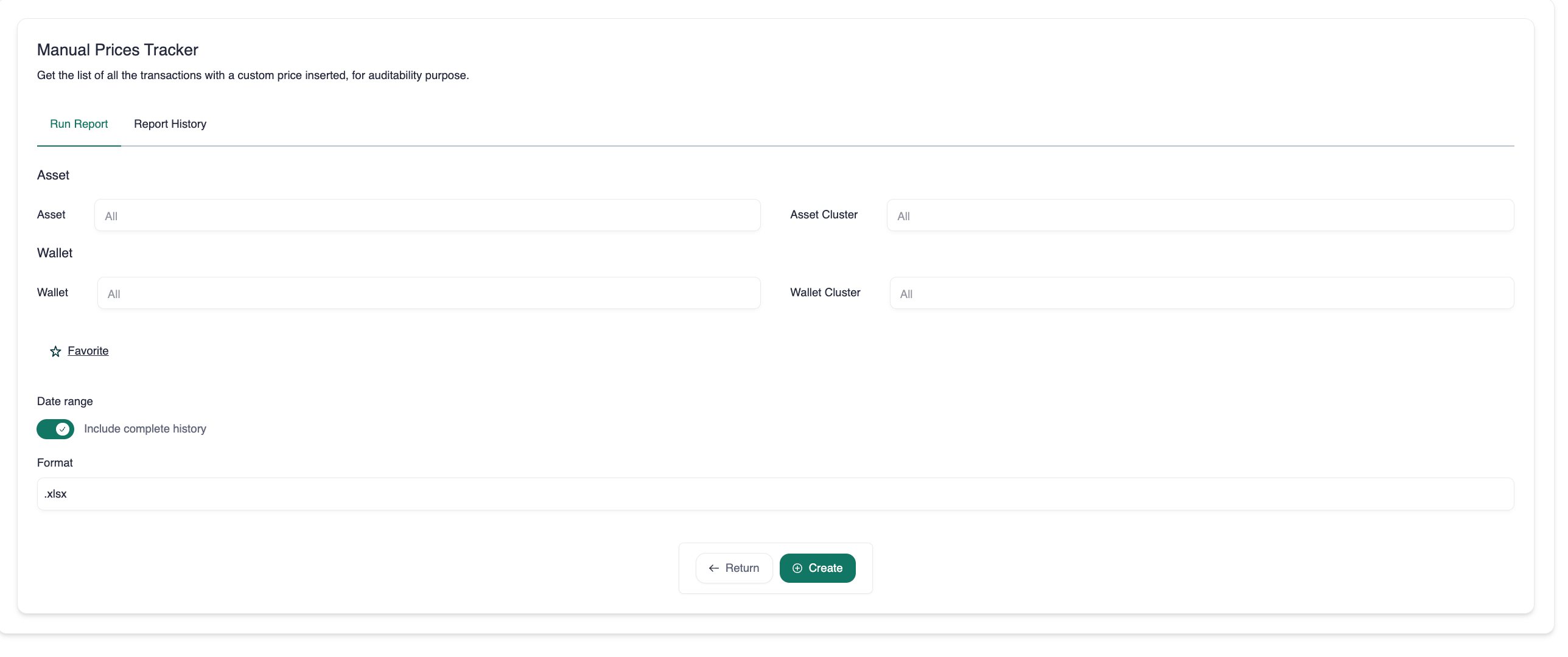
By default, all assets are included. Select a specific asset if needed.
By default, all wallets are included. Select a specific wallet if needed
Choose a date range or select complete history.
Select your preferred export format (CSV or XLSX).
Click Create.
Once the report is ready, click the download icon in the Action column.
How to Read the Report
The report structure is similar to other Cryptio exports, providing key transaction details such as:
Timestamp: Date and time of the transaction.
Source: Where the transaction came from.
Order type: Classification of the transaction.
Asset details: Incoming, outgoing, and fee information.
It also includes dedicated columns for manual price tracking:
Incoming custom price
Outgoing custom price
Fee custom price
These columns make it easy to verify which transactions have adjusted values.