
Statement of Digital Assets (SoDA) report
The Statement of Digital Assets (SoDA) report provides a one-day snapshot of digital asset balances by wallet. It includes both inventory value (by cost basis) and market value, helping you monitor balances and support compliance reporting.
What is a SoDA Report?
The SoDA report is a standardized view of digital asset balances. It serves as a transparent bridge between GAAP-compliant reporting and detailed wallet, exchange, and custody data. By capturing key accounting details, it ensures accurate reporting across multiple digital asset sources.
Key Benefits
Single-day balance reporting – Ideal for end-of-day snapshots or current portfolio balances.
Regulatory compliance – Supports frameworks such as MiCA, MTL, VARA, and SAB121. Assets are organized into regulatory clusters to simplify compliance reporting.
Audit readiness – Includes comprehensive cost basis data, making audits and compliance reviews more efficient.
If you’re currently using multiple balance reports, the SoDA report consolidates them into one streamlined, compliance-focused view.
How to Generate the SoDA Report
In Cryptio, go to Reports from the left-side navigation bar.
Search for the report or find it under Monthly Reporting.
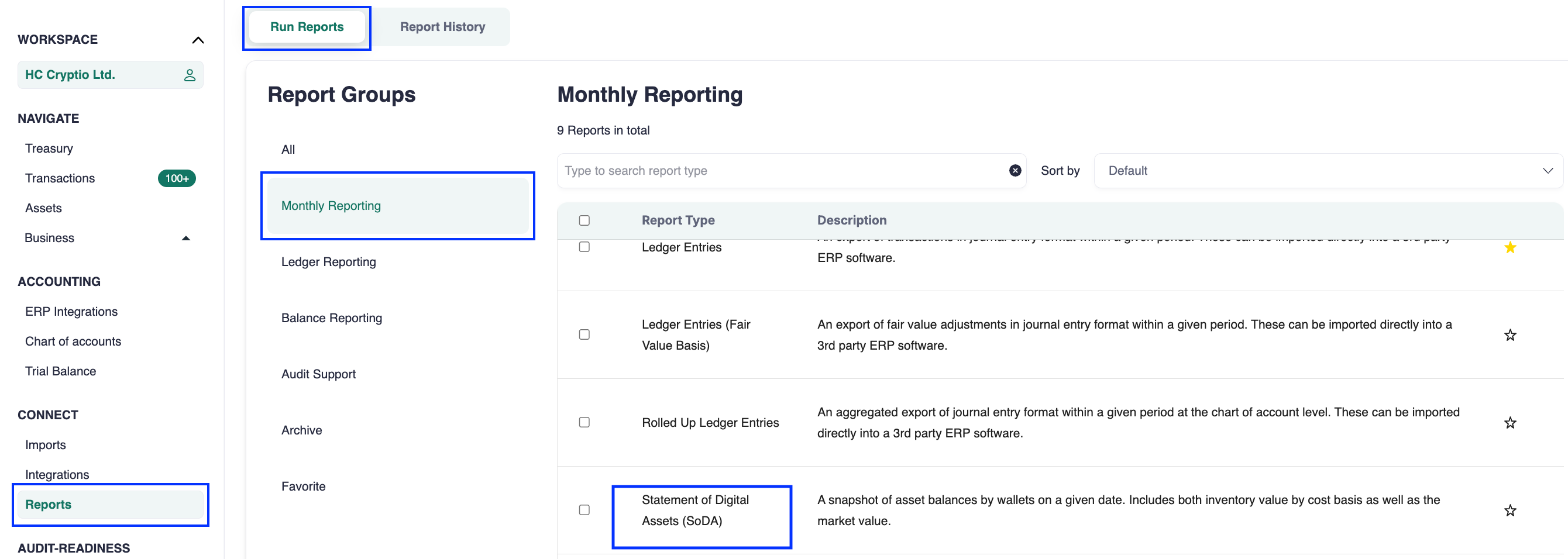
Customize your selection: choose asset, asset cluster, wallet, wallet cluster, and/or source type.
Select the date for the report. The SoDA report is designed for single-day balance reporting.
(Optional) Customize the report structure.
Click Create.
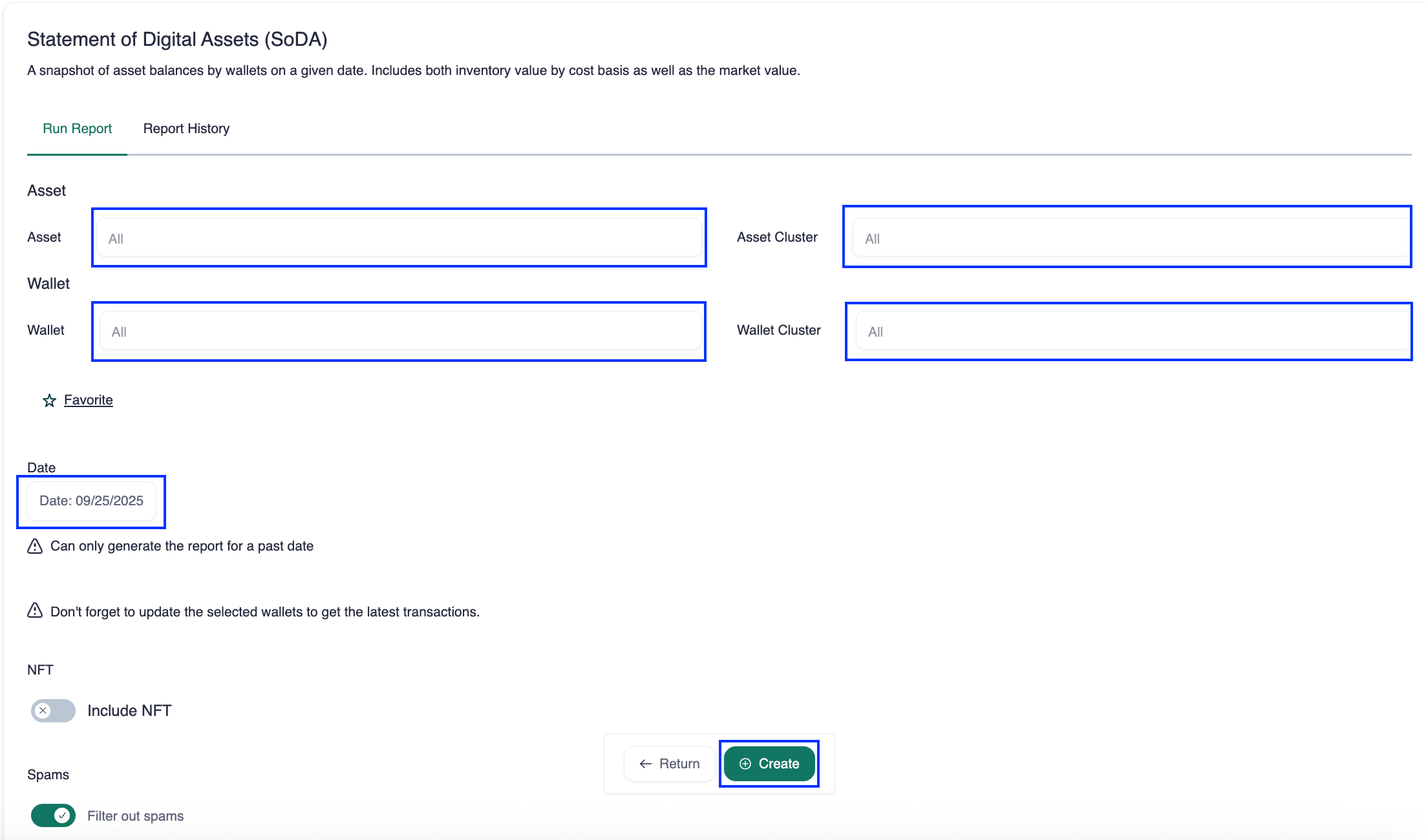
Once generated, the report will appear in your Report history. Click the download icon in the Actions column to save it.
How to Read the SoDA Report
The report includes key columns and structures to support compliance and accounting:
Assets and wallets by regulatory cluster – Groups data by frameworks like MiCA, MTL, and SAB121.
Original cost basis – Shows each asset’s initial purchase price.
FMV/Impaired cost basis – Displays fair market value (FMV) or impaired cost basis for users applying revaluation methods.
Summary
Use the SoDA report to:
Provide a compliant snapshot of asset balances.
Prepare for audits with clear cost basis and FMV data.
Consolidate multiple balance reports into one standardized view.