
Loan management: Risk monitoring dashboard
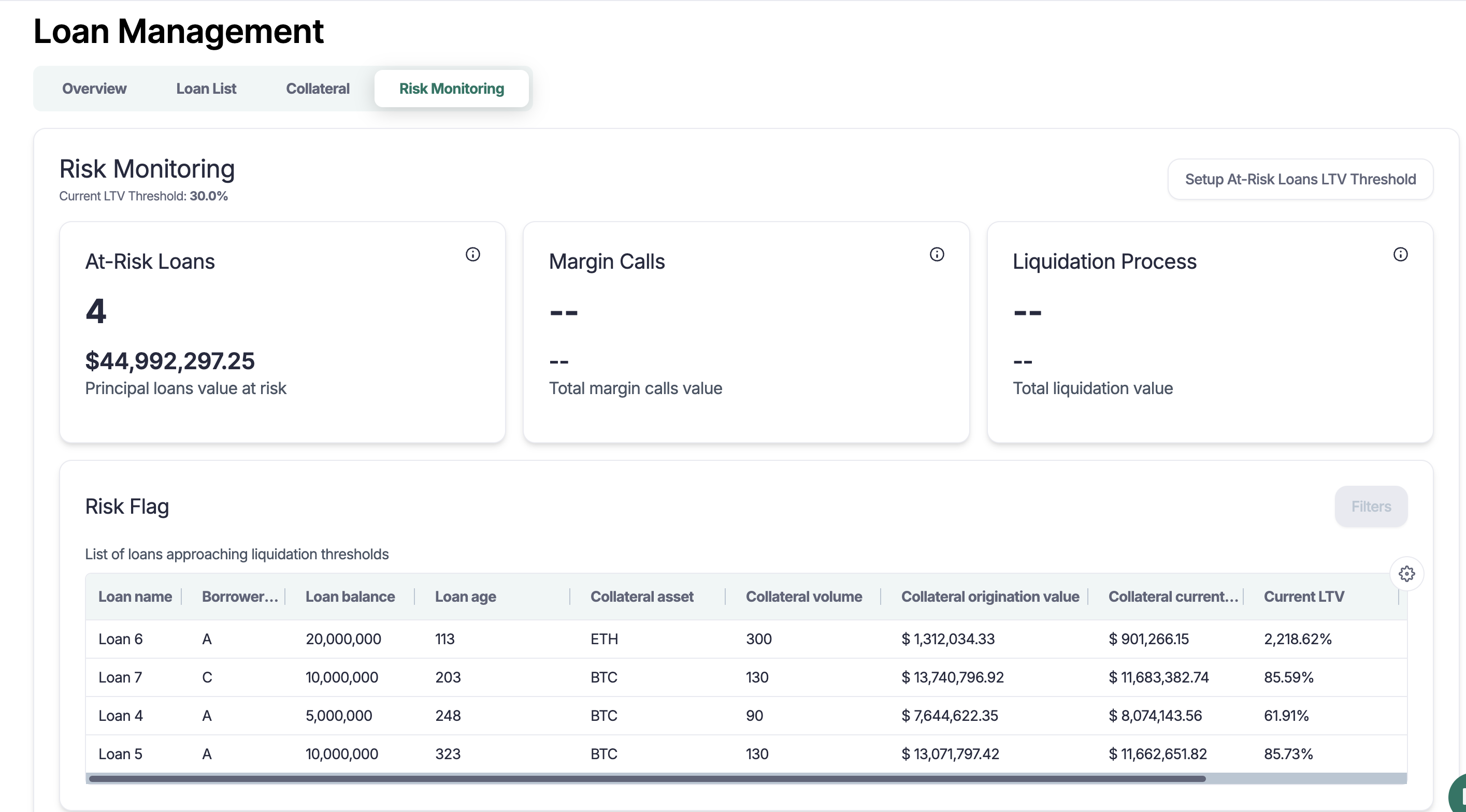
Use the Risk Monitoring dashboard
See risk status by loan at a glance
Track LTV warnings and breaches
Review liquidity runway and stressed coverage scenarios
Drill into drivers like positions and prices
Prerequisites
Loans created and linked to Loan Terms
Collateral policies set with LTV thresholds
Price sources configured for FMV and scenario shocks
Open the Risk monitoring dashboard
In the left side navigation bar, select Loan Management
Navigate to Risk monitoring tab on the top.
Filters (coming soon)
Date: As-of date for all metrics
Counterparty and Loan
Asset class, currency, tags
Tip: Save commonly used filter sets as custom views for recurring reviews.
Key metrics and cards
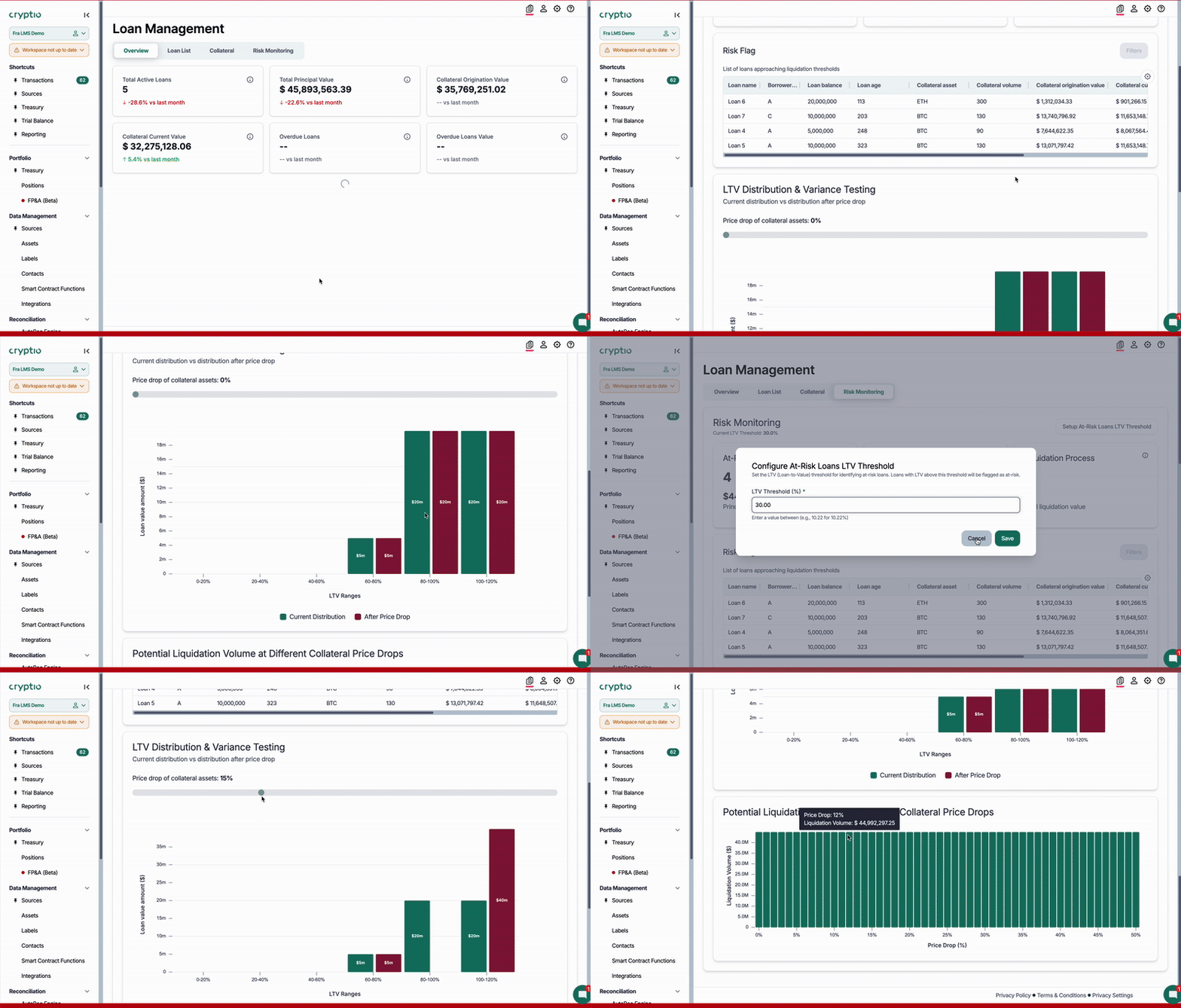
Overall risk status: Counts of at-risk loans, margin calls, and the liquidation process
Potential loans approaching liquidation threshold summary
LTV variance testing: Current vs distribution after price drop comparison
Potential liquidation volume by price drops
Configuration reference
Pricing
Choose price sources and fallback rules per asset class
Configure shock assumptions for scenarios
Schedules and delinquency
Ensure payment schedules exist and grace periods are set in Loan Terms
Note: Policy or price config changes trigger an immediate update to risk evaluation for in-scope loans.
Tips and tricks
Troubleshooting
Missing or stale prices → Verify price source coverage and timestamps
LTV seems off → Check single loan as well to review entered collateral
Best practices
Schedule a weekly risk review using saved views
Enable alerts to notify owners on breaches and delinquencies
Export scenario results for governance packs
FAQs
How is LTV computed here?
LTV = Principal ÷ Haircut-adjusted Collateral FMV
What defines margin calls vs liquidation?
Your configured thresholds - for example, margin call at 75% (warning), liquidation at 85% (breach).
Can I subscribe to alerts?
Customer support/AM/product team will help you set it up on the back-end.