
End of day balances report
The End of Day Balances report provides an overview of all the assets in your account on a selected date.
You can break this down by:
Asset,
Wallet, or
All wallets and assets combined.
By default, the date will autofill to today, but you can adjust it to reflect past dates.
The report includes:
Asset symbol,
End-of-day balance,
Average daily price (USD), and
Asset market value (USD) on the given date.
How to Create an End of Day Balances Report
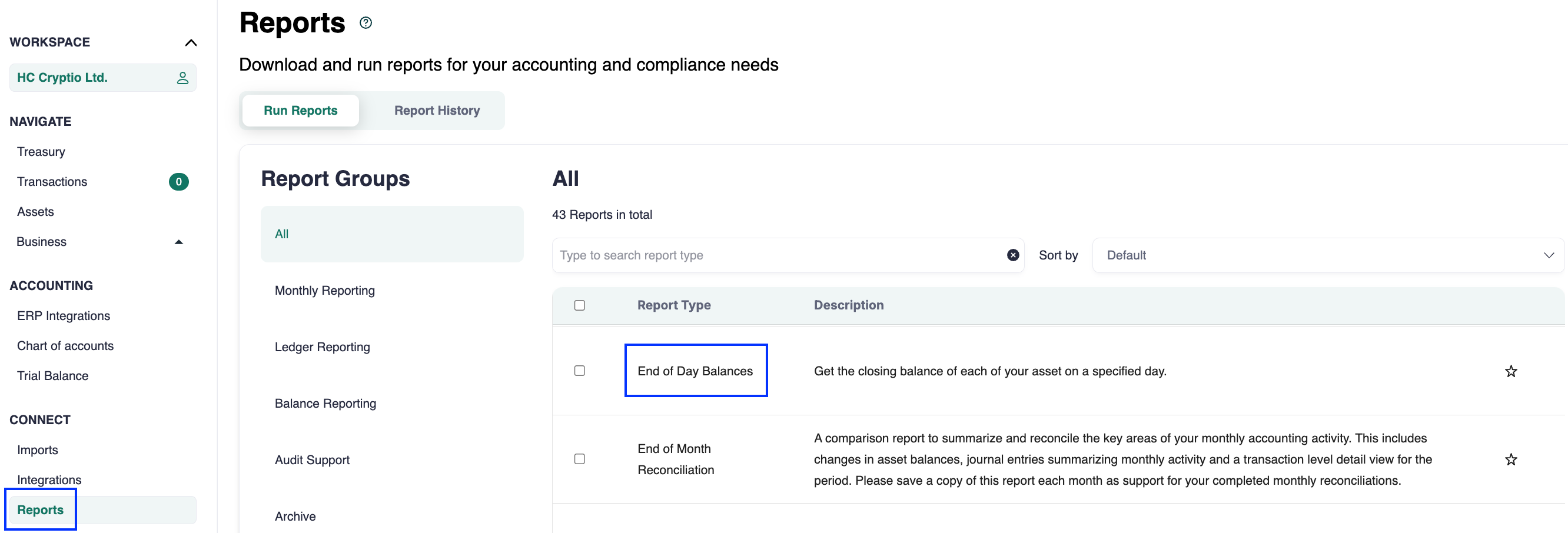
Go to the Reports page.
Type End of Day Balance in the search bar.
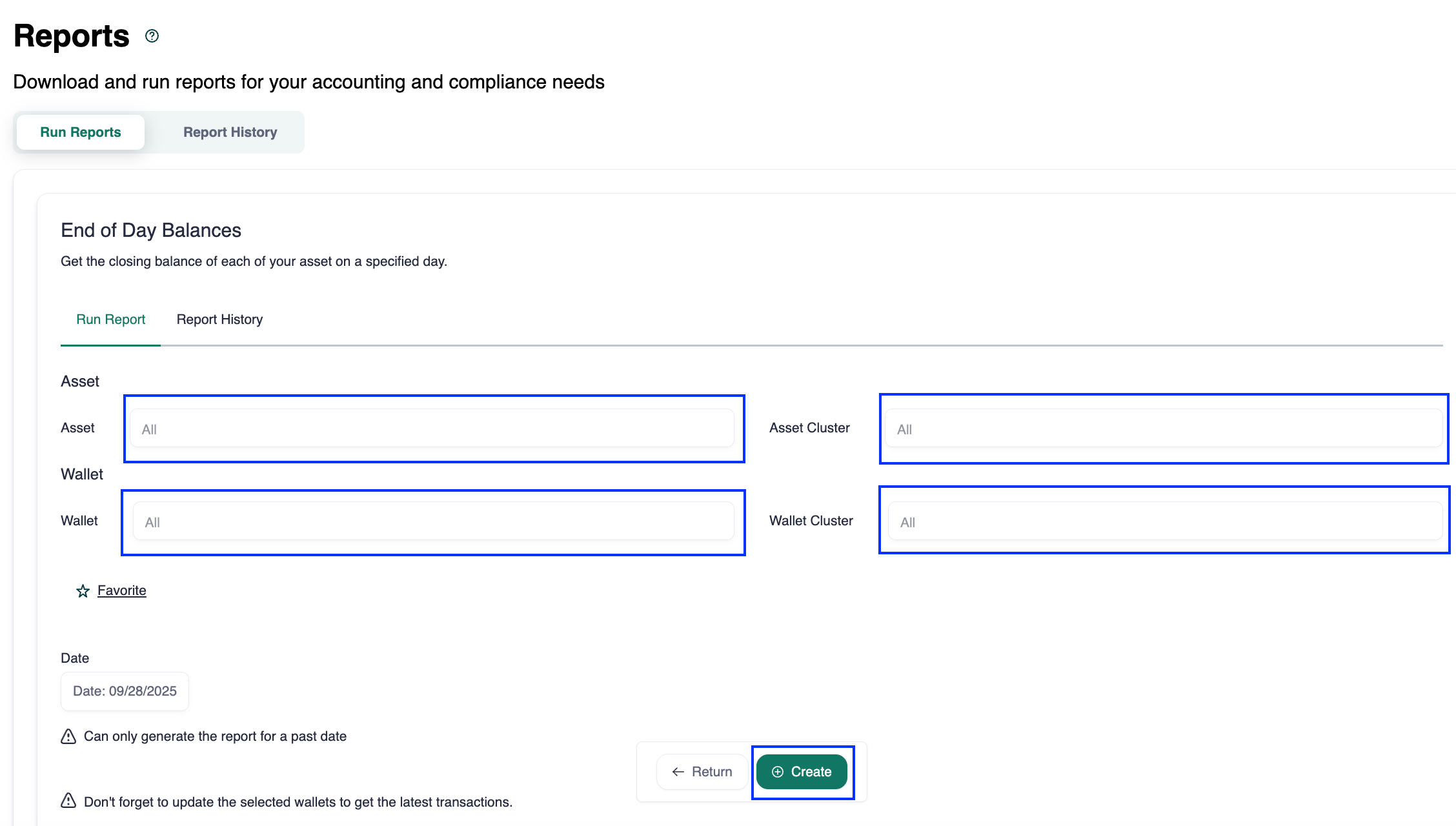
(Optional) Select an asset.
(Optional) Select a wallet. You can choose to:
Generate the report for a single asset or wallet,
Combine an asset and a wallet, or
Leave both blank to include all assets and wallets.
Select the desired date.
Click Create.
Column Definitions
Here are details for some of the key columns:
Average Daily Price: The day’s opening price, obtained from CoinGecko.
Assets Market Value: The end-of-day balance multiplied by the average daily price.
Summary
The End of Day Balances report helps you track your portfolio’s value on any given day. With customizable exports and clear asset-level breakdowns, it’s a reliable tool for both internal analysis and financial reporting.