
Manual transactions report
The Manual Transactions report gives you a list of all transactions that have been imported manually into Cryptio. This helps ensure audibility and provides a clear record of any off-chain or unsupported wallet activity.
What is a Manual Transactions report?
Sometimes you may need to manually import transactions into Cryptio, for example:
To add off-chain wallet activity.
To include wallet transactions from platforms that Cryptio doesn’t integrate with.
The Manual Transactions report helps you track these custom wallets. It not only makes it easier to extract wallet activity but also reduces friction during audits by providing a clear audit trail for manually imported data.
How to generate a Manual Transactions report
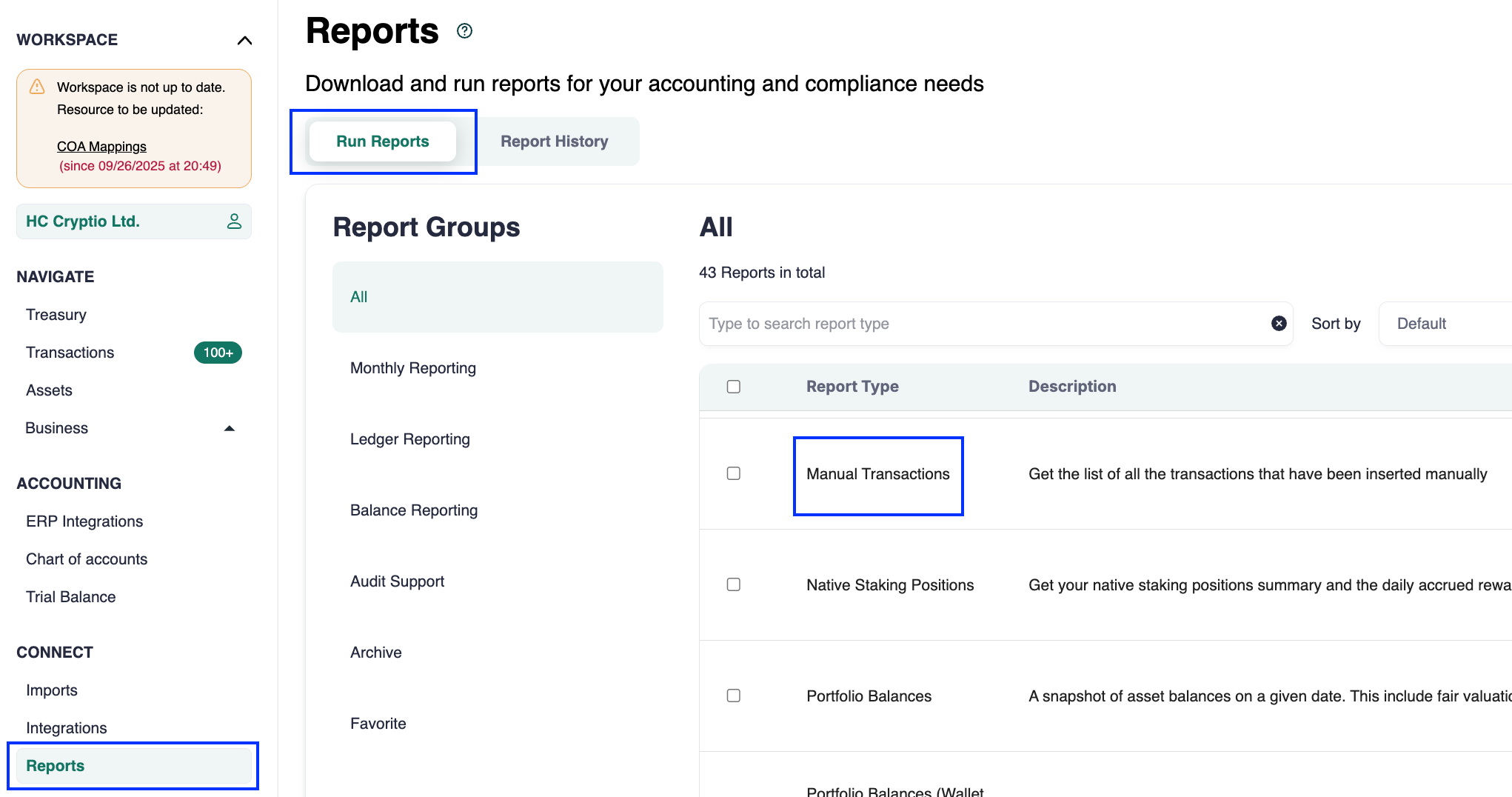
In the Cryptio app, go to Connect.
Select Reports.
Choose Manual Transactions report.
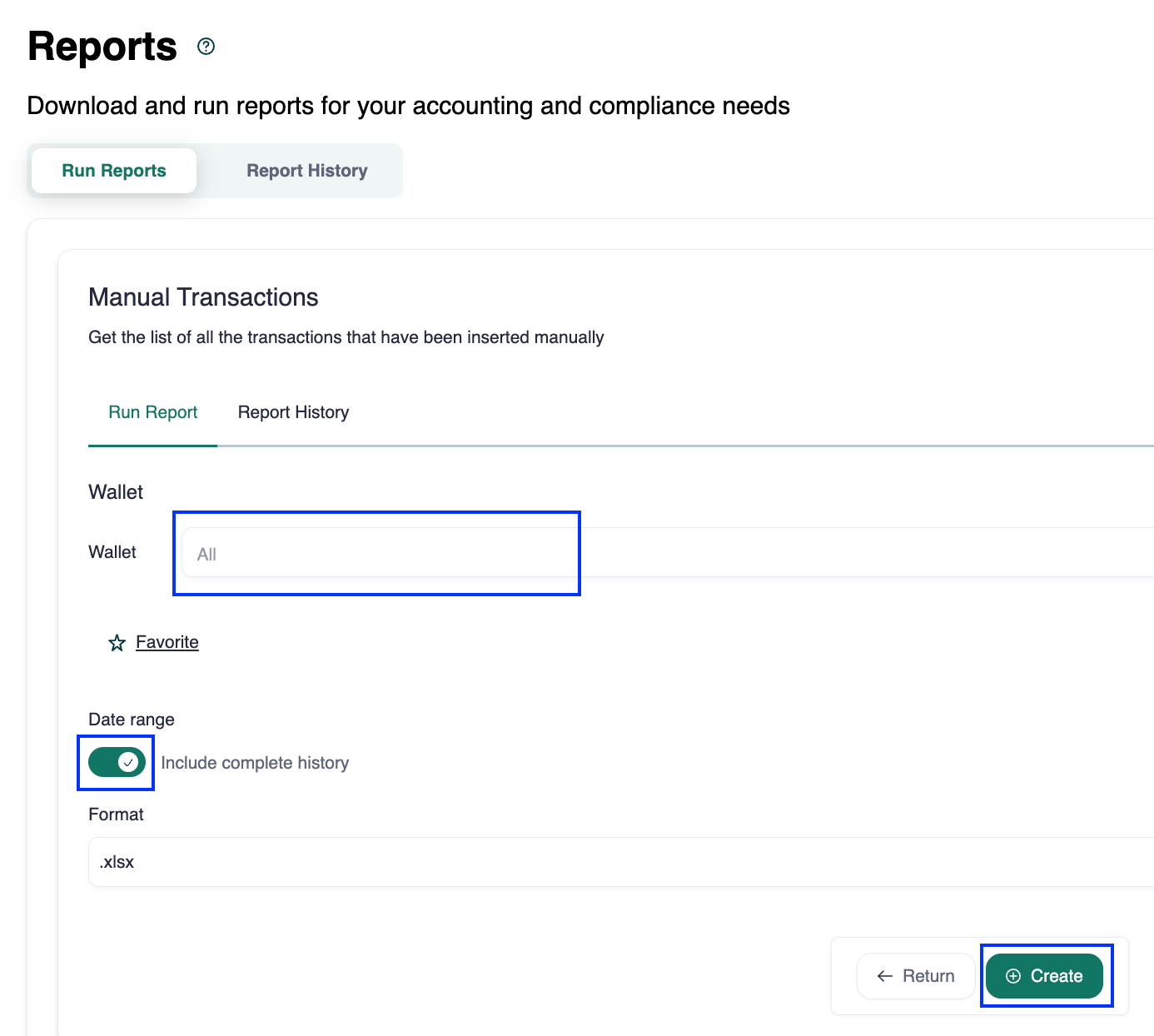
Select the wallets you want to include. By default, all wallets are selected.
Choose a date range or select complete history.
Click Create.
Once generated, click the download icon in the Action column to download your report.
How to read the report
The Manual Transactions report follows the same structure as other Cryptio reports. It includes key details to help you verify and reconcile imported data:
Timestamp: when the transaction was created.
Source: where the transaction originated.
Order type: classification of the transaction.
Asset details: incoming, outgoing, and fee information.
Transaction hash: the unique identifier for the transaction.
Wallet name: the name of the wallet associated with the transaction.