Sources list report
The Sources list report provides a complete overview of all the sources that have been imported into your account. It’s a quick way to review and verify all connected sources in one place - helping you with audit preparation, data reconciliation, or general account maintenance.
The report downloads as a CSV file and includes the following columns:
Source name
Type
Address
Import date
Transactions count
Cluster
Comment
How to Access and Download the Report
Go to the Reports page
In the side navigation menu, select CONNECT, then click Reports.
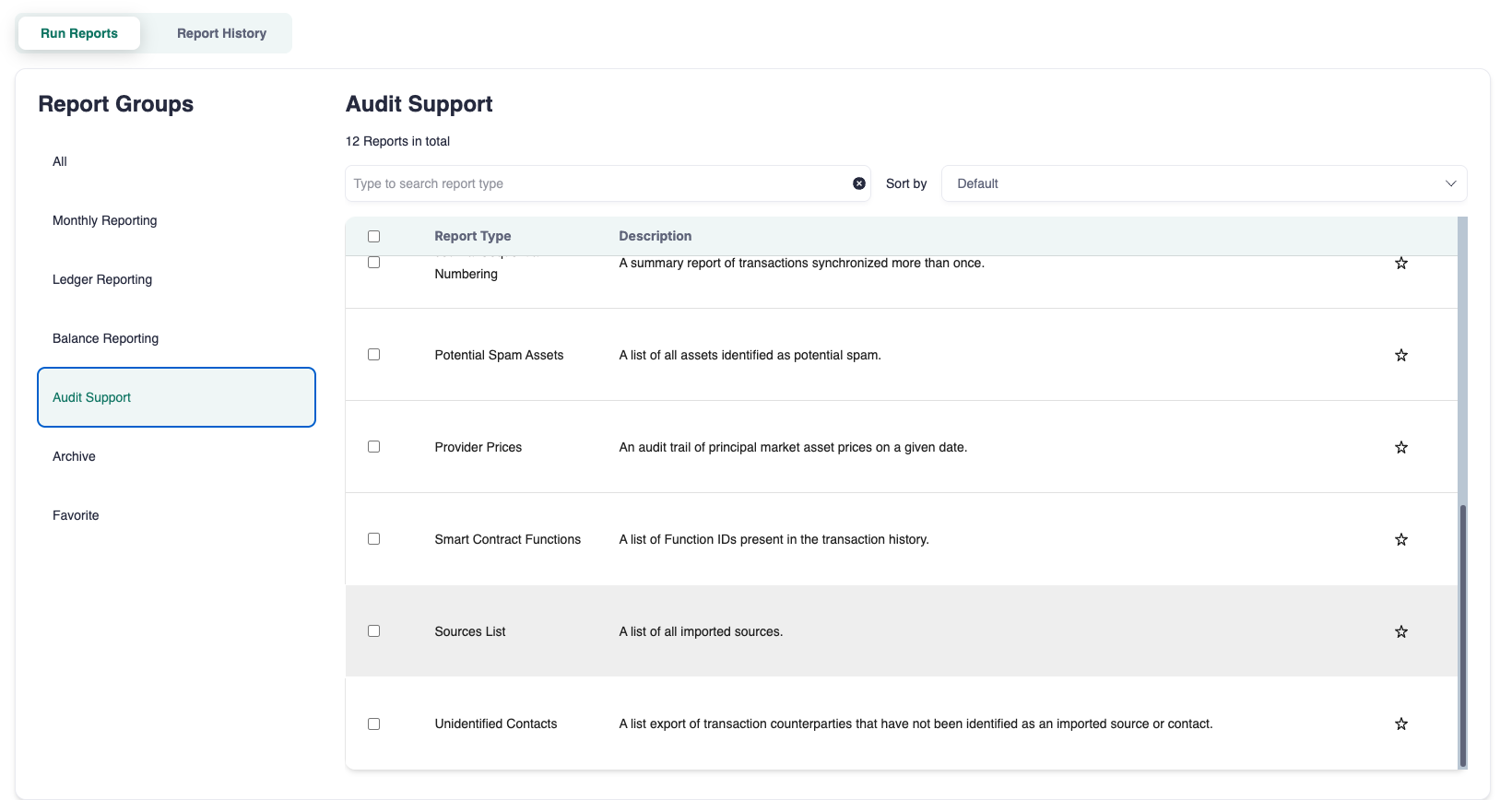
Find the Sources list report
Use the search bar to type Sources list, or
Locate it under the Audit support section.
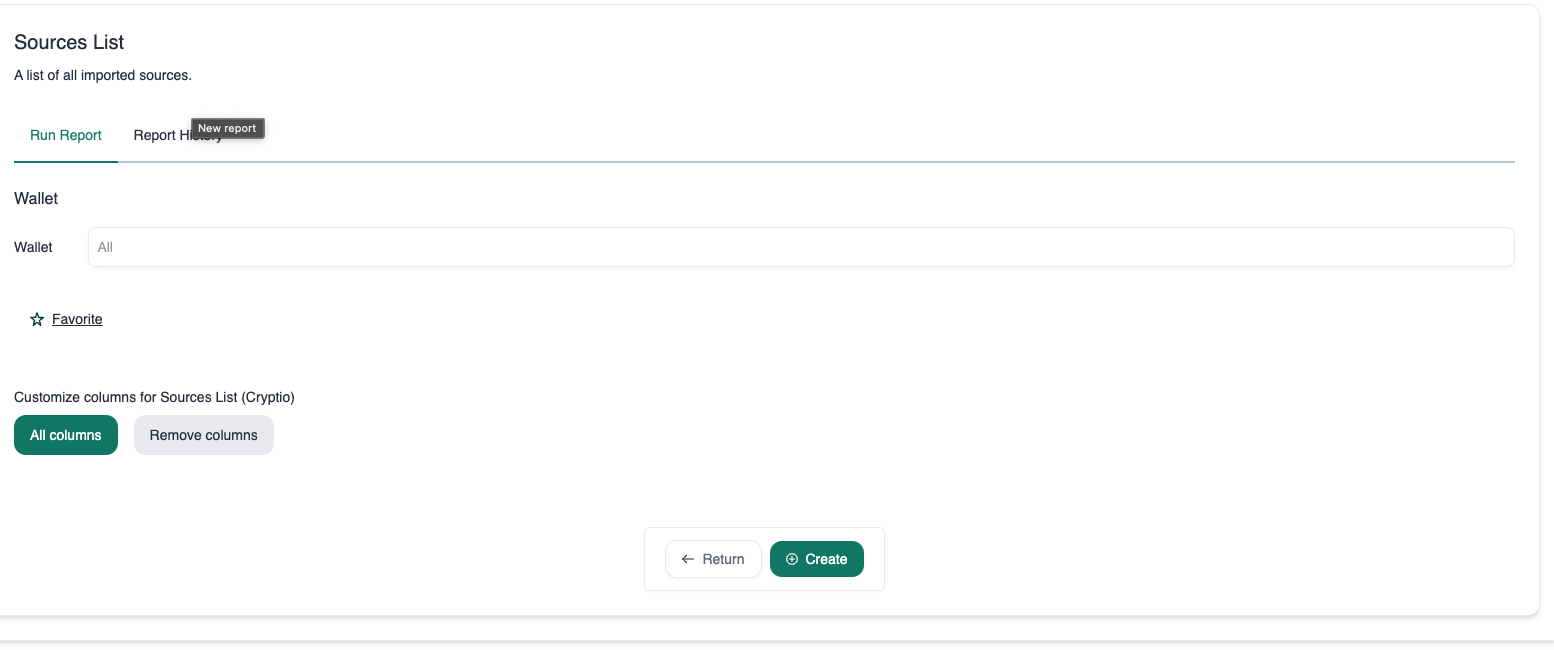
(Optional) Select specific wallets
Edit columns (optional)
You can customize which columns appear in the report by selecting the Select columns button before downloading.
Download the report
Once the report is generated, click the Download icon to export it as a CSV file.