
Transactions history report
You can export a detailed entry of each transaction, including blockchain data, Cryptio accounting data, and your own metadata. In other words, the Transaction History report provides all the information the software knows about a single transaction—perfect for conducting internal reporting or manipulating data externally.
How to Export the Transactions History
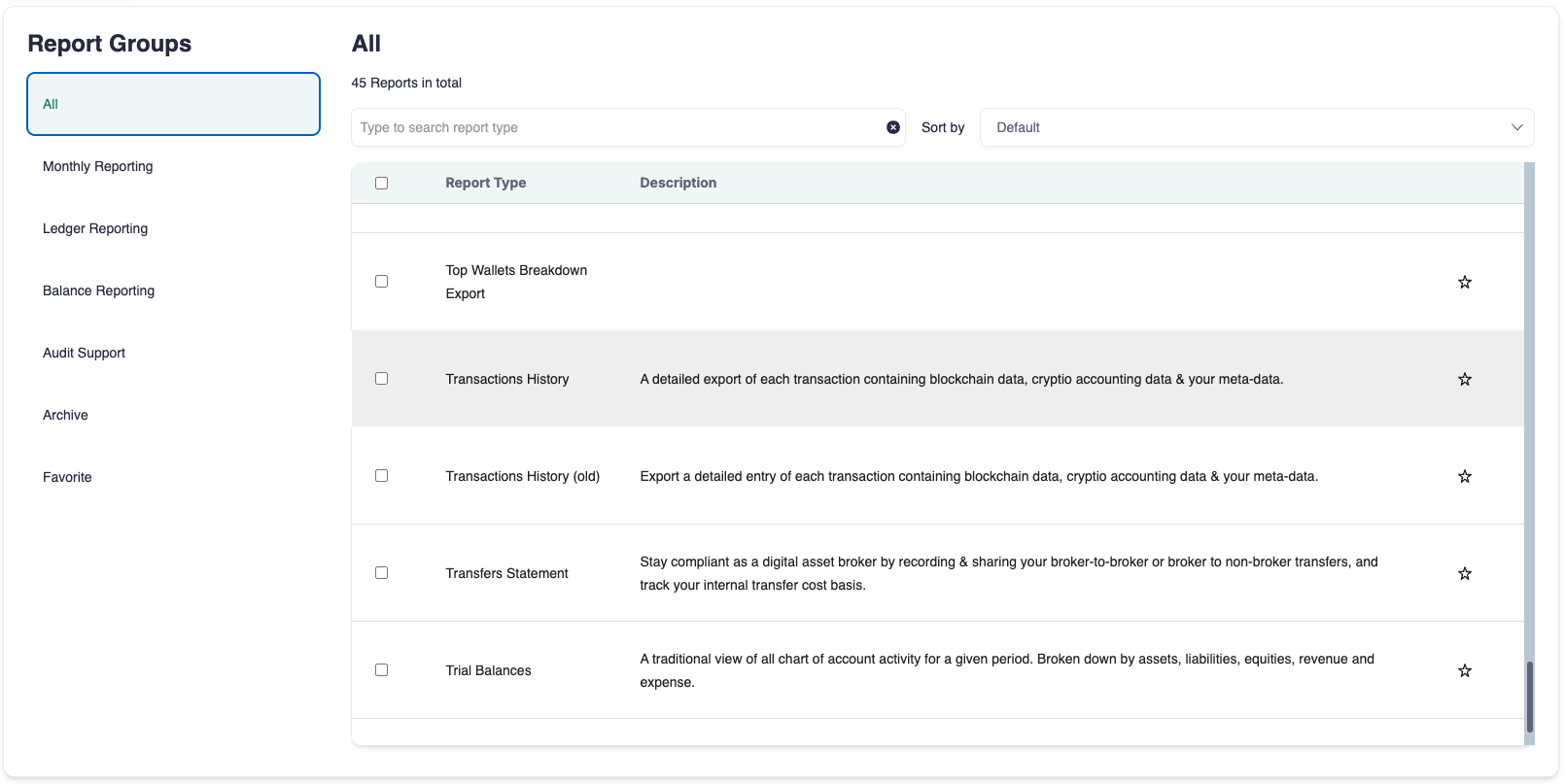
Go to the Report page.
Type Transactions History in the search bar.
Select Transactions History.
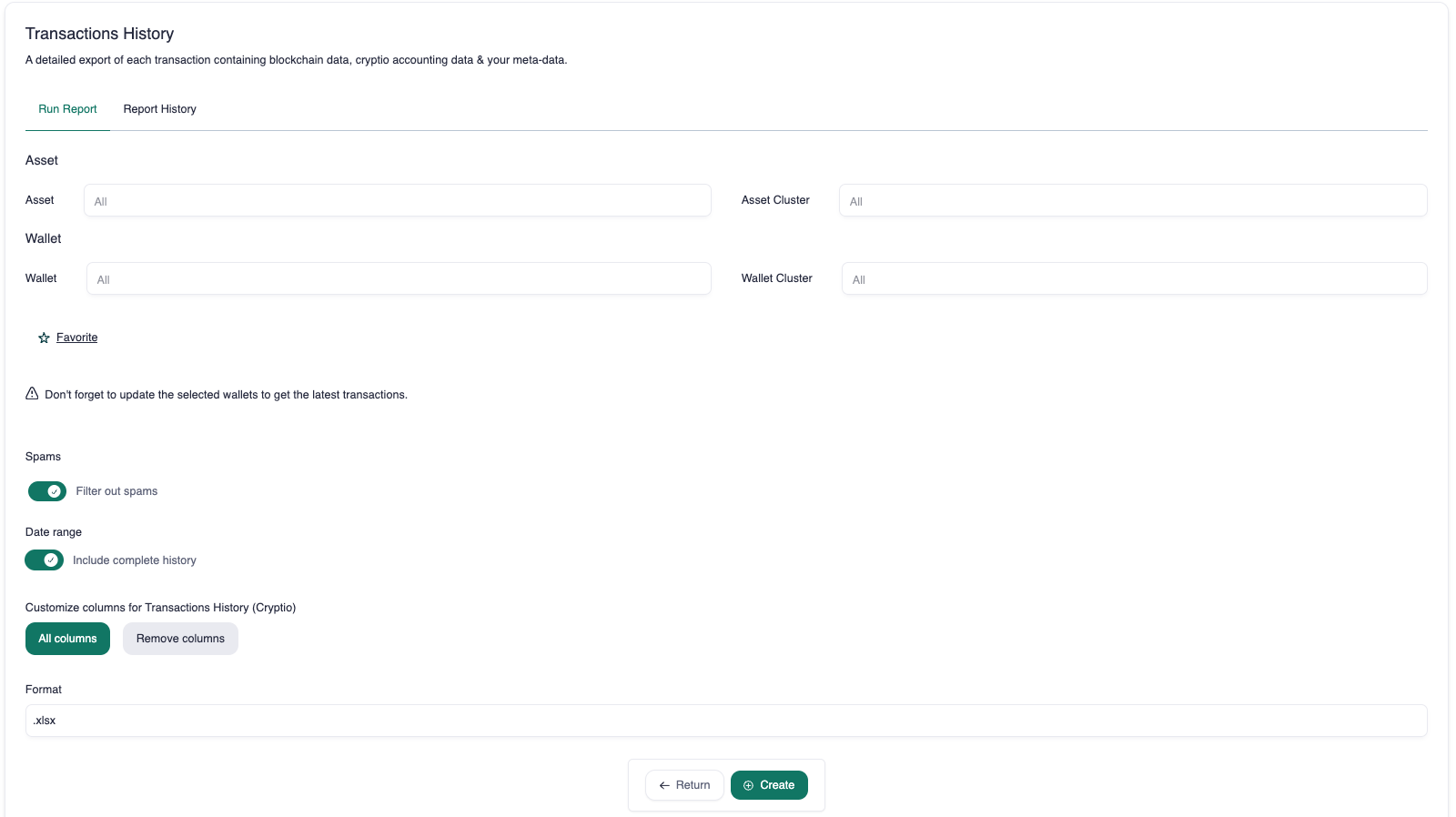
(Optional) Choose an Asset.
(Optional) Choose a Wallet. You can:
Select only an asset or a wallet.
Select both an asset and a wallet.
Leave both blank to include all transactions.
Choose a date range or select a complete history.
Click Create.
Column Definitions
Here are explanations for some of the more complex columns:
Fee cost basis (USD): The original USD value of the asset when it was first acquired.
Fee gain (USD): The transaction value minus the cost basis in USD.
Internal transfer cost basis (USD): The cost basis of the asset transferred between wallets, in USD.
Notes: Any notes you’ve added to the transaction on the Cryptio Transactions page.