
Trial balances report
The Trial Balance Report gives you the sum of debits and credits for each of your business’s accounts on an accrual basis.
This report helps you:
Identify discrepancies in account totals,
Prepare financial statements, and
Confirm that your accounts are balanced for a given reporting period.
What Is a Trial Balances Report?
A Trial Balance report ensures that your bookkeeping entries are mathematically correct.
It acts as an audit test of your ledger by:
Adding up all debit balances,
Adding up all credit balances, and
Confirming that the totals are equal.
This process verifies that no unequal debits and credits have been incorrectly entered in the double-entry accounting system.
Most companies prepare a trial balance periodically, usually at the end of each reporting period.
How to Generate a Trial Balances Report
You can only generate this report if your Chart of Accounts (CoA) is mapped in Cryptio.
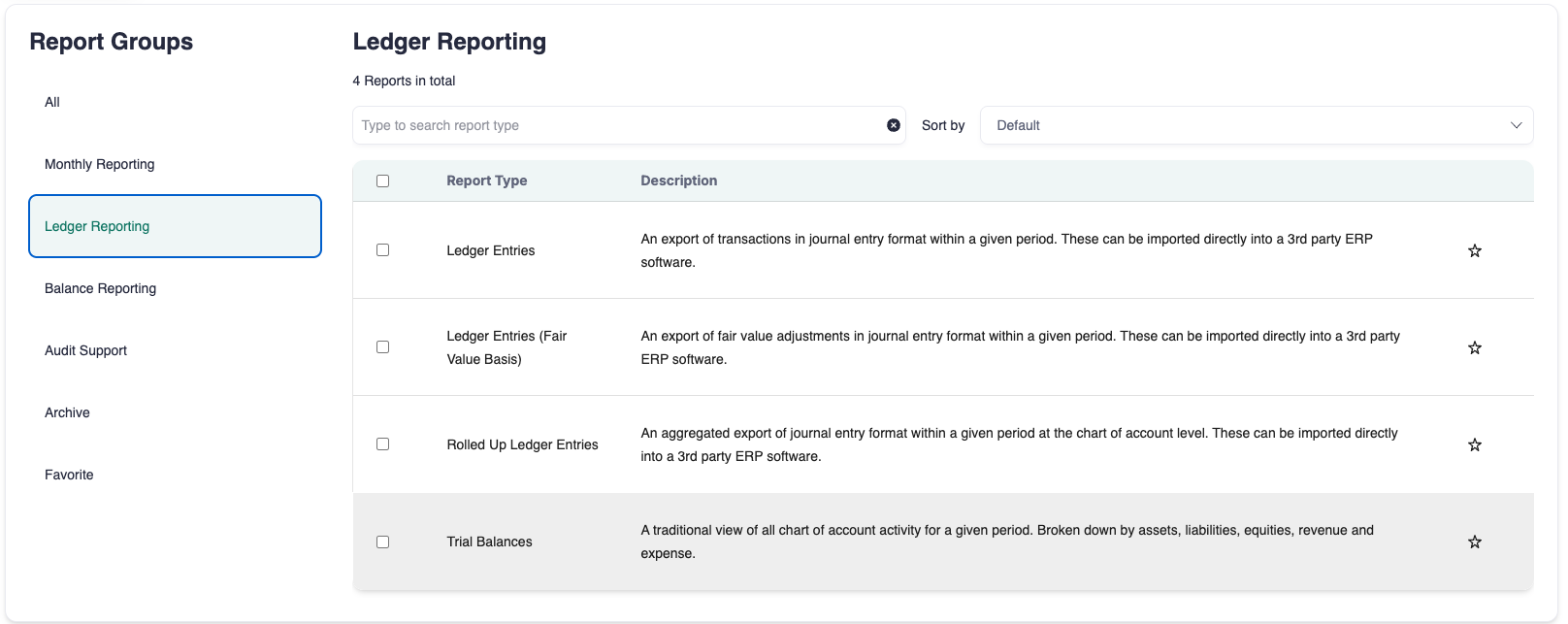
Go to the Reports page.
Type Trial Balances in the search bar or find it under the Ledger Reporting or Monthly Reporting sections.
Select Trial Balances.
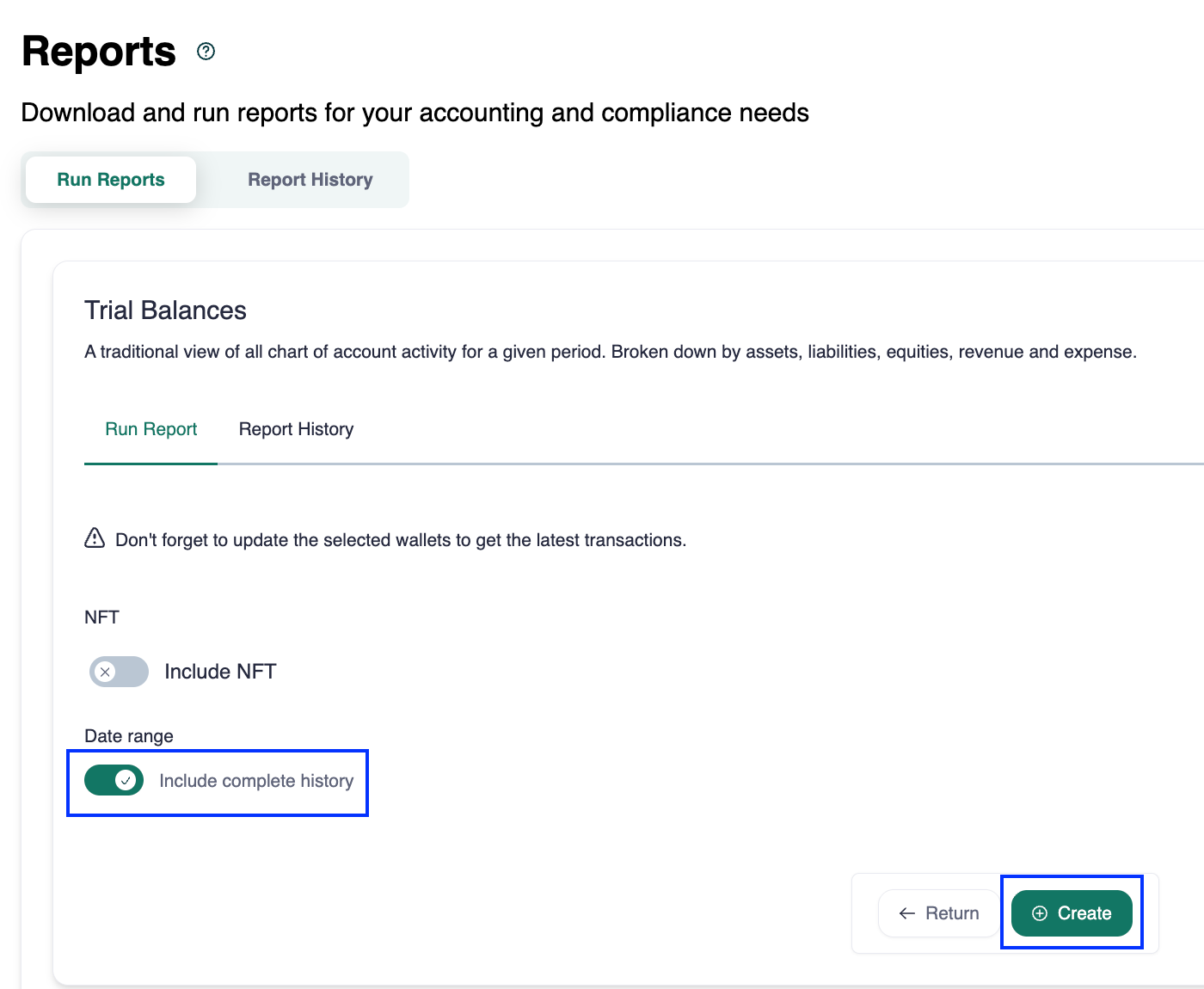
Choose the date range (or include complete history).
Click Create.
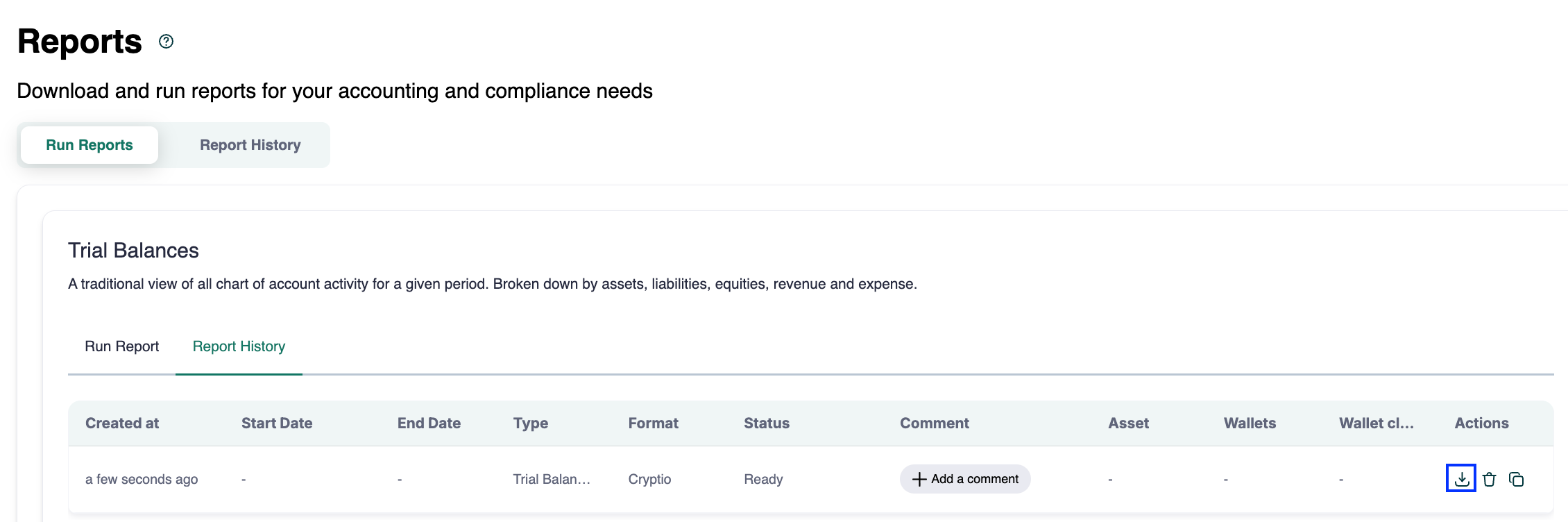
Once the report appears, download it by clicking the download icon under the Actions column.
How to Read the Report
The Trial Balances Report contains several key sections:
Trial Balances Total Sum: Shows the sum of all debit and credit balances across accounts, grouped by account type.
Code: The account code from your Chart of Accounts.
Accounts: The account name from your Chart of Accounts.
Debit: The sum of all final debit balances for each debit-type account.
Credit: The sum of all final credit balances for each credit-type account.
Missing Data: Displays the number of missed transactions based on CoA mapping.
Summary
The Trial Balances Report is a critical tool for ensuring the accuracy of your financial records in Cryptio. By confirming that debits and credits balance, it provides a reliable foundation for producing financial statements and passing audits.